
Easy Mail - Email Launcher
App Lab StudiosPersonalization
4.28.50K Reviews
- Version
- 1.03.06
- Installs
- 1.00M
- Age Rating
- Everyone
Screenshots
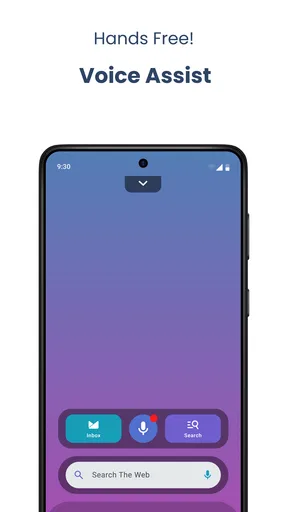
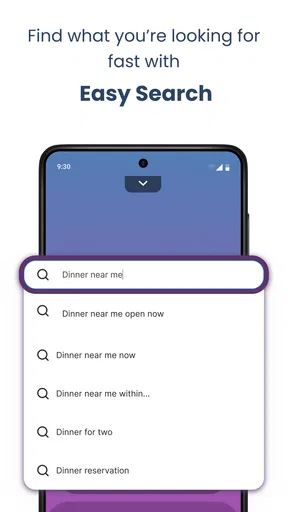
Our Review of Easy Mail - Email Launcher
 Analysis by Appyee
Have you ever found yourself drowning in a sea of emails, desperately trying to keep up with the onslaught of notifications? Enter Easy Mail - Email Launcher, a game-changer for anyone looking to streamline their email experience. I’ve been using it for a while now, and let me tell you, it’s like having a personal assistant right in your pocket.
Why Easy Mail Stands Out
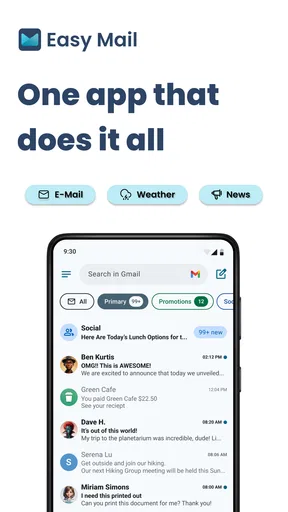
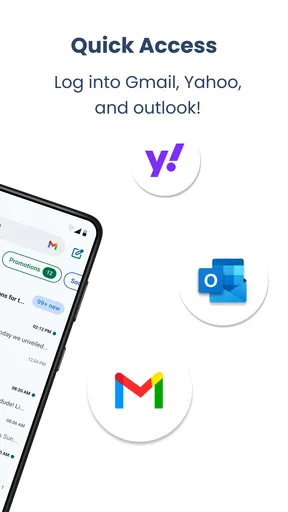
First off, the integration capabilities of Easy Mail - Email Launcher are seriously impressive. It doesn’t matter if you’re juggling Gmail, Yahoo, or Outlook accounts; this app brings them all under one roof. No more hopping between apps or tabs—everything you need is right there.
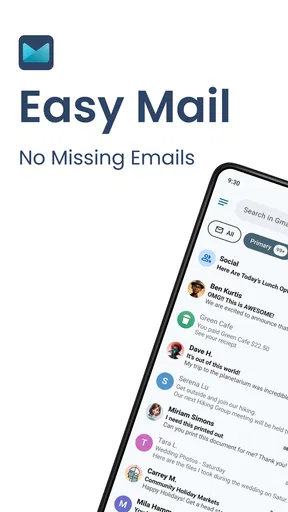
One feature I absolutely love is the smart categorization system. It automatically sorts your emails into categories like Primary, Social, and Promotions. I don’t know about you, but anything that saves me from sifting through spam is a winner in my book.
Streamlined Interface
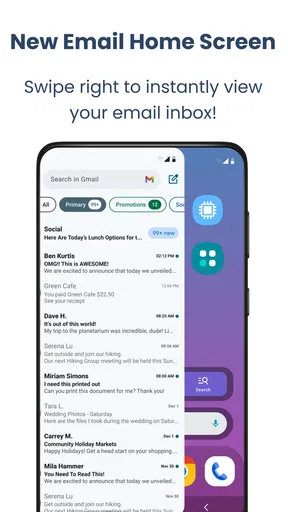
Let’s talk about the interface. It’s clean, intuitive, and dare I say, downright pleasing to the eye. The developers clearly put a lot of thought into user experience. From the customizable themes to the easily adjustable settings, navigating through your emails has never felt smoother.
There’s also a nifty feature that allows you to swipe to archive or delete emails. It’s simple yet effective, making it super easy to keep your inbox clutter-free. Plus, the app doesn’t bombard you with unnecessary notifications, which is a huge relief for those of us who are easily distracted.
Performance and Reliability
In terms of performance, Easy Mail doesn’t disappoint. The app is fast and responsive, even when handling multiple accounts. There hasn’t been a single instance where it lagged or crashed on me, which is more than I can say for some other email apps out there.
Security is another area where this app shines. With end-to-end encryption, you can rest easy knowing your emails are safe from prying eyes. It’s clear that the developers have made privacy a top priority, and in today’s digital age, that’s a big deal.
Final Thoughts
All in all, Easy Mail - Email Launcher is a must-have for anyone looking to enhance their email management game. Whether you’re a busy professional or just someone who likes to keep things organized, this app has something for everyone. It’s a seamless blend of functionality and convenience, making it a no-brainer download.
If you’re tired of the email chaos and ready to embrace a more organized life, give Easy Mail a try. Trust me, your inbox will thank you.
Privacy and Permissions
See what permissions an app requests and how it handles your data.
- Calendar
- read calendar events plus confidential information
- Contacts
- read your contacts
- Wi-Fi connection information
- view Wi-Fi connections
- Other
- view network connections, control flashlight, full network access, reorder running apps, set wallpaper, control vibration, prevent device from sleeping, set an alarm, Google Play license check
Verdict
Strengths of Easy Mail - Email Launcher
- Intuitive interface simplifies email management.
- Supports multiple email accounts seamlessly.
- Customizable notifications for each account.
- Integrated calendar keeps you organized.
- Quick search feature enhances productivity.
Limitations of Easy Mail - Email Launcher
- Limited integration with third-party apps.
- Occasional sync delays with some providers.
- No offline access to emails.
- Ads can be intrusive in free version.
- Lacks advanced email filtering options.
Similar Picks in This Category
View All
Microsoft SwiftKey AI Keyboard
SwiftKey4.3

Wallpapers
Google LLC4.1

Zedge™ Wallpapers & Ringtones
Zedge4.7

Yandex Browser with Alice AI
Direct Cursus Computer Systems Trading LLC4.3

Ringtone Maker:create ringtone
Big Bang Inc.4.7

Fonts Keyboard
Fonts Keyboard3.9
Frequently Asked Questions
What are the main features of Easy Mail - Email Launcher?
Easy Mail - Email Launcher is designed to streamline your email experience by integrating multiple accounts in one place. It provides seamless navigation, customizable themes, and advanced security features. The app supports all major email providers, ensuring you can access your emails without juggling different apps.
Is Easy Mail - Email Launcher safe to use for business emails?
Yes, Easy Mail - Email Launcher offers robust security features, including encryption and two-factor authentication, making it suitable for managing personal and business emails alike. It ensures that sensitive information remains protected, meeting the security standards required for professional communication.
Does Easy Mail - Email Launcher support email attachments and large files?
Absolutely. The app allows users to send and receive attachments with ease. It supports a wide range of file types and sizes, ensuring that you can handle everything from simple documents to large multimedia files without any hassle.
Can I customize the interface of Easy Mail - Email Launcher?
Yes, Easy Mail - Email Launcher offers a variety of customization options. Users can choose from different themes, adjust layout settings, and personalize notifications. This flexibility allows you to tailor the app to match your aesthetic preferences and enhance your user experience.
What are the system requirements for installing Easy Mail - Email Launcher?
Easy Mail - Email Launcher is compatible with both Android and iOS devices. It requires Android version 5.0 and up or iOS 11.0 and later. The app is optimized to run smoothly on most smartphones and tablets, ensuring broad accessibility for all users.
